
A business can have a great product, a strong service, and plenty of useful information to share. But if the content does not hold attention, much of that value can be missed.
That is one reason video has become such an important part of digital marketing.
A short social media video can introduce a brand to someone who has never heard of it. A product video can show how something works. An explainer video can make a complicated service easier to understand. A promotional video can turn an offer into something people can see and understand within seconds.
But creating effective video content is not simply about putting clips together.
The footage needs to be organized. Unnecessary sections need to be removed. The pacing needs to match the message. Audio needs to be clear. Text and captions need to be readable. Visuals need to support the story instead of distracting from it.
That is where professional video editing becomes important.
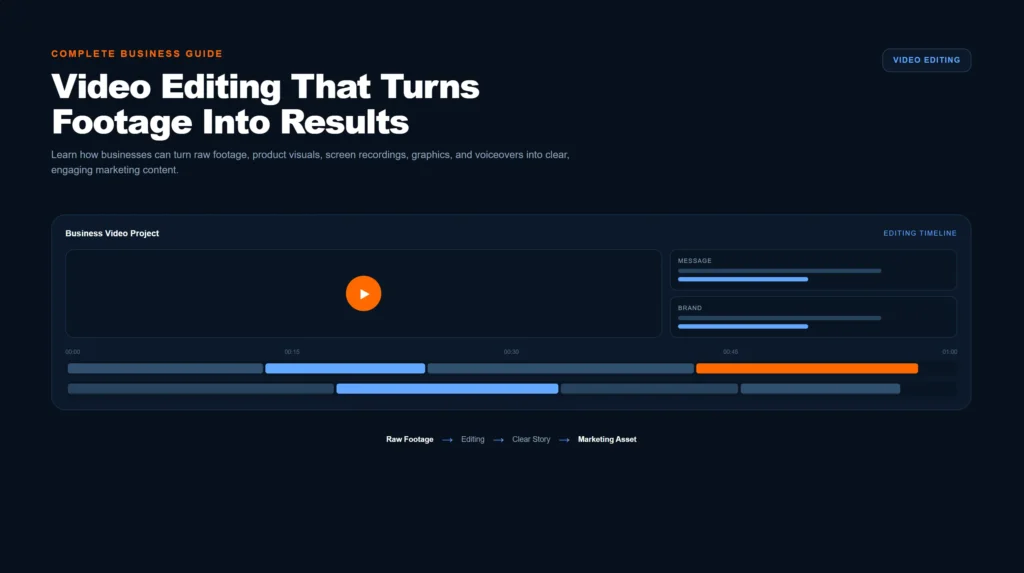
Video editing turns raw footage, screen recordings, product visuals, graphics, voiceovers, and other assets into a finished piece of content designed for a specific audience and purpose.
For businesses, the goal is not simply to make a video look good.
The goal is to create video content that communicates clearly, represents the brand consistently, and supports a larger marketing objective.
This guide explains what video editing is, how the process works, the different types of business videos, how video supports digital marketing, what affects editing costs, how to choose a video editing company, and the mistakes businesses should avoid.
What Is Video Editing?
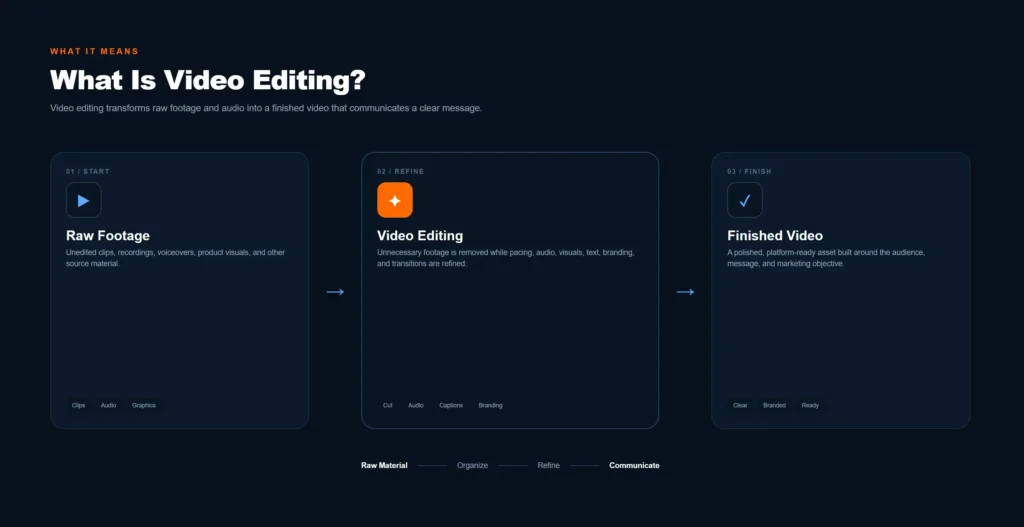
Video editing is the process of selecting, arranging, improving, and combining visual and audio elements to create a finished video.
Raw footage rarely becomes a useful marketing asset without some form of editing.
An editor may need to:
- Remove unnecessary footage
- Arrange clips into a logical sequence
- Improve pacing
- Clean and balance audio
- Add background music
- Add captions and on-screen text
- Apply color correction
- Add transitions where appropriate
- Include logos and brand elements
- Add motion graphics or animations
- Synchronize voiceovers
- Format videos for different platforms
- Export the final video in the required resolution and aspect ratio
The exact process depends on the type of video.
A short social media reel may need fast pacing, captions, visual changes, and a strong opening.
A product video may need slower pacing so viewers can clearly understand the product.
An educational video may require screen recordings, diagrams, text overlays, and carefully edited explanations.
This is why video editing should be approached as a communication process, not simply a visual effect.
Why Does Video Editing Matter for Businesses?
Video gives businesses a way to communicate information quickly.
Instead of asking someone to read several paragraphs about a product or service, a video can demonstrate the same idea visually.
This can be especially useful when a business needs to explain:
- What a product does
- How a service works
- Why a customer should consider an offer
- How to use a product
- What makes a business different
- How a process works
- What customers can expect
However, the presence of video alone does not guarantee that people will watch or respond to it.
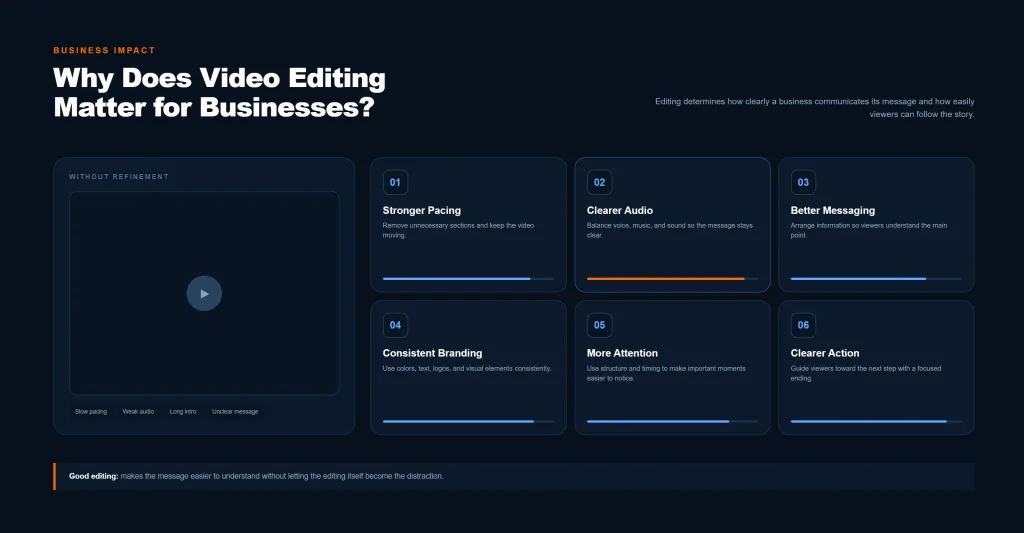
The editing plays a major role in how the information is delivered.
Poor pacing can make a useful video feel slow.
Unclear audio can make a professional business appear less polished.
Too many transitions can distract from the message.
Long introductions can cause viewers to leave before the main point.
Good editing helps remove these problems and makes the content easier to follow.
Video Can Support Multiple Marketing Channels
One well-planned piece of video content can sometimes be adapted for several marketing purposes.
For example, a business could create a longer product video and produce shorter versions for:
- TikTok
- YouTube Shorts
- Website pages
- Product pages
- Paid advertising
- Email campaigns
This makes video editing part of a broader content strategy rather than an isolated creative task.
If you want to understand how video fits alongside SEO, paid advertising, websites, social media, and other channels, our Digital Marketing Guide explains how these parts can work together as a connected marketing system.
What Does a Professional Video Editing Process Look Like?
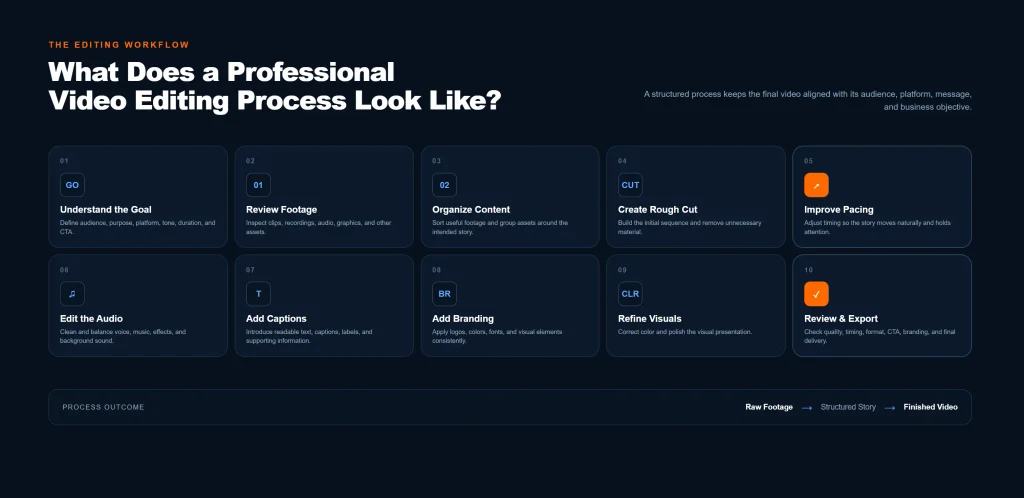
Professional video editing is usually completed through several stages.
The exact workflow changes depending on the project, but a structured process helps keep the final video focused and consistent.
1. Understanding the Goal
Before editing begins, the purpose of the video should be clear.
A video created to generate leads may need a different structure from one created to build awareness.
The editor should understand:
- Who the video is for
- What the video is supposed to communicate
- Where it will be published
- What action viewers should take
- What tone the brand uses
- How long the final video should be
Without a clear purpose, editing can become a collection of random visual decisions.
2. Reviewing the Footage
The next step is reviewing the available material.
This may include:
- Camera footage
- Smartphone recordings
- Screen recordings
- Product footage
- Voice recordings
- Interviews
- Stock footage
- Logos
- Graphics
- Images
- Existing marketing material
The editor identifies the strongest usable material and determines how it can fit into the final story.
This stage is important because not every recorded clip needs to appear in the finished video.
3. Organizing the Content
Before detailed editing, the footage is organized.
Clips may be sorted according to:
- Scene
- Topic
- Speaker
- Product
- Location
- Sequence
- Intended platform
Good organization reduces unnecessary editing time and makes it easier to build a clear sequence.
4. Creating the Rough Cut
The rough cut establishes the basic structure of the video.
At this stage, the editor focuses on:
- Selecting useful clips
- Removing unnecessary sections
- Arranging scenes
- Creating a logical flow
- Establishing the approximate length
The goal is not yet to add every visual effect.
The goal is to make sure the story or message works.
5. Improving Pacing
Once the basic structure is established, the pacing can be refined.
Pacing refers to how quickly or slowly information moves through the video.
Different content requires different pacing.
A promotional short may benefit from quick cuts.
An educational explanation may require more time for viewers to understand each point.
A product demonstration may need enough time for the viewer to see the product clearly.
Effective pacing keeps the viewer moving through the content without making the video feel rushed.
6. Editing the Audio
Audio is one of the most important parts of a finished video.
The editor may work on:
- Voice clarity
- Background noise
- Volume consistency
- Music levels
- Sound effects
- Voiceover synchronization
A video can have excellent visuals but still feel unprofessional if the audio is distracting or difficult to understand.
For talking-head videos, tutorials, interviews, and explainers, clear speech is particularly important.
7. Adding Text and Captions
Text can make important information easier to understand.
Captions are also useful when viewers watch videos without sound.
Text may be used for:
- Key points
- Product features
- Statistics
- Names
- Offers
- Calls to action
- Section headings
- Captions
- Important instructions
The text should support the video rather than overwhelm it.
Too much text can turn a video into a difficult-to-read presentation.
8. Adding Brand Elements
Business videos should usually maintain visual consistency with the rest of the brand.
This can include:
- Logo placement
- Brand colors
- Typography
- Graphic styles
- Intro or outro elements
- Consistent caption design
Consistency helps different pieces of content feel like they belong to the same business.
9. Color Correction and Visual Refinement
Color correction helps make footage look more balanced and consistent.
Different clips may have different lighting, exposure, or color tones.
An editor can adjust these elements so that scenes look more consistent.
Color grading can also be used to create a particular visual style.
For business content, the priority should usually be clarity and brand consistency rather than effects that make the video difficult to watch.
10. Final Review and Export
Before delivery, the finished video should be reviewed.
The editor checks:
- Spelling
- Captions
- Audio
- Timing
- Transitions
- Branding
- Video quality
- Aspect ratio
- Ending
- Call to action
The final video is then exported in the appropriate format for its intended platform.
What Makes a Good Business Video?
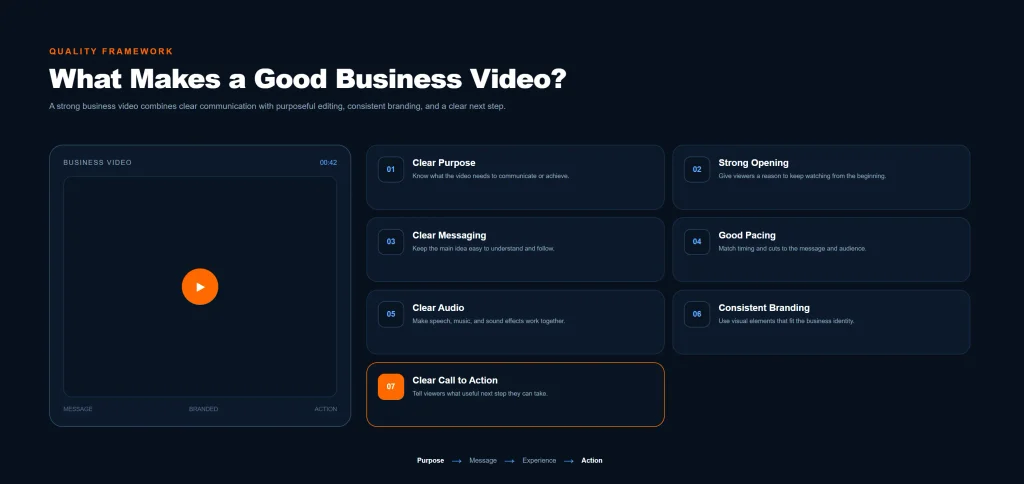
A professional-looking video is useful, but appearance is only one part of quality.
A strong business video usually has several elements working together.
1. A Clear Purpose
Every video should have a reason for existing.
Is it designed to:
- Educate?
- Generate awareness?
- Demonstrate a product?
- Explain a service?
- Generate leads?
- Promote an offer?
- Build trust?
The editing should support that objective.
2. A Strong Opening
The beginning of a video matters because viewers need a reason to continue watching.
The opening might introduce:
- A problem
- A question
- A useful result
- A product
- An important statement
- A visual demonstration
The best opening depends on the audience and the type of content.
3. Clear Messaging
Viewers should not have to guess what the video is trying to communicate.
A strong video usually has one main message supported by relevant visuals.
4. Good Pacing
The video should move at a pace that fits the content.
Fast does not automatically mean better.
Slow does not automatically mean professional.
The right pacing depends on what the viewer needs to understand.
5. Clear Audio
Good audio can make a major difference to perceived quality.
Speech should be understandable, background music should not overpower the speaker, and unnecessary noise should be reduced where possible.
6. Consistent Branding
Brand elements should feel natural rather than forced.
A business can use consistent fonts, colors, logos, graphic styles, and visual patterns across its videos.
7. A Clear Call to Action
When appropriate, the viewer should know what to do next.
That might mean:
- Visiting a website
- Contacting the business
- Learning more
- Requesting a quote
- Viewing a product
- Following the brand
- Reading another resource
Not every video needs an aggressive sales message.
The CTA should match the video’s purpose.
Types of Video Editing Businesses Can Use
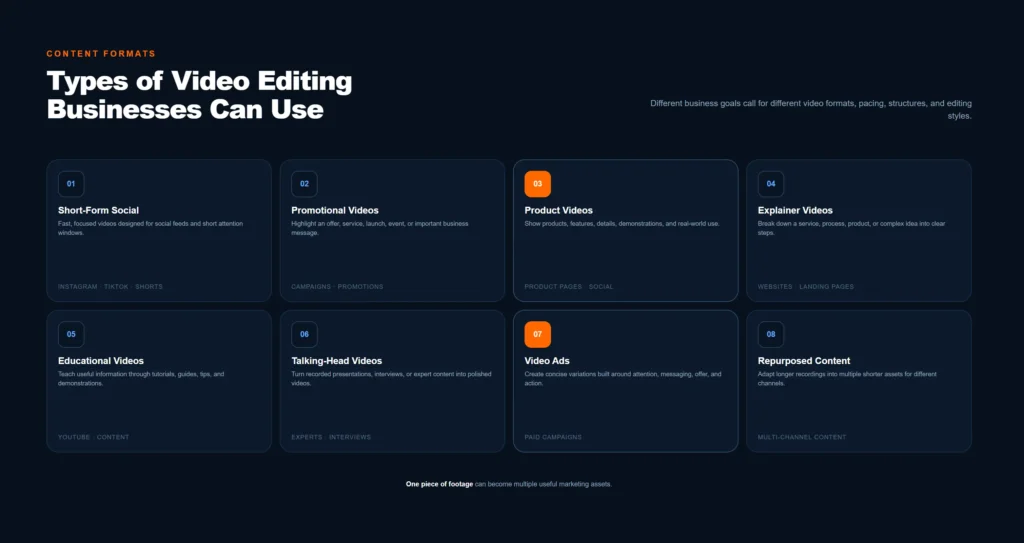
Different marketing goals require different video formats.
Short-Form Social Media Videos
Short-form videos are designed for platforms where users move quickly through content.
They often use:
- Strong openings
- Fast pacing
- Captions
- Vertical formats
- Short scenes
- Text overlays
- Clear messaging
Short videos can be used for education, awareness, product promotion, behind-the-scenes content, or brand communication.
Promotional Videos
Promotional videos focus on a product, service, offer, campaign, or business.
They may combine:
- Product footage
- Voiceovers
- Graphics
- Text
- Music
- Calls to action
The objective is usually to communicate value and encourage the viewer to take a specific next step.
Product Videos
Product videos help customers understand what a product looks like and how it works.
They can show:
- Product features
- Demonstrations
- Different angles
- Product usage
- Packaging
- Benefits
- Comparisons
Strong product visuals are particularly important here.
Businesses that need professional product imagery can also combine video content with Product Shoot Services to create a stronger library of visual assets for their marketing.
Explainer Videos
Explainer videos simplify a product, service, process, or concept.
They are useful when a business offers something that may require explanation before customers understand its value.
Explainer videos can use:
- Voiceovers
- Screen recordings
- Animations
- Motion graphics
- Diagrams
- Text
- Demonstrations
Educational Videos
Educational content answers questions and teaches viewers something useful.
Examples include:
- Tutorials
- How-to videos
- Industry explanations
- Step-by-step guides
- Tips
- Demonstrations
Educational videos can help a business demonstrate knowledge while providing useful information to its audience.
Talking-Head Videos
Talking-head videos feature a person speaking directly to the audience.
They are commonly used for:
- Expert advice
- Business updates
- Educational content
- Interviews
- Commentary
- Personal brand content
Editing can improve these videos by removing pauses, tightening the pacing, adding captions, and highlighting important points.
Video Ads
Paid advertising requires editing that communicates the main message quickly.
An advertisement may need to establish:
- The problem
- The solution
- The value
- The next step
The exact structure depends on the campaign and audience.
Different versions can also be edited for different placements and platforms.
Short-Form vs Long-Form Video
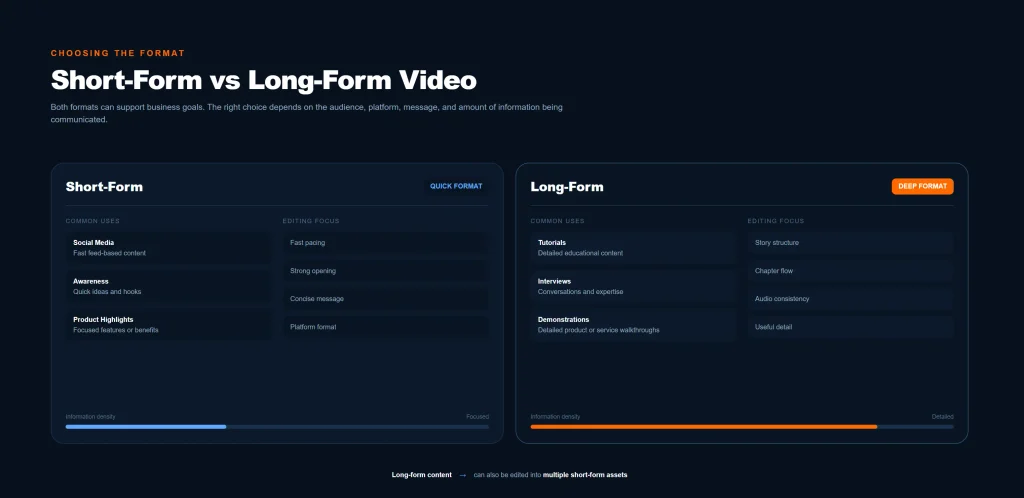
Businesses often need both short and long video content.
Short-Form Video
Short-form content is useful when the goal is quick communication.
It can work well for:
- Social media
- Awareness campaigns
- Quick tips
- Product highlights
- Short advertisements
- Teasers
The challenge is communicating enough information without making the video feel overloaded.
Long-Form Video
Long-form content provides more room for explanation.
It can be useful for:
- Tutorials
- Webinars
- Interviews
- Detailed demonstrations
- Educational videos
- YouTube content
- Case studies
Long-form content can also become a source for shorter pieces.
For example, one longer educational recording could be edited into several short clips covering individual topics.
This creates more content from the same original material.
Video Editing and Digital Marketing
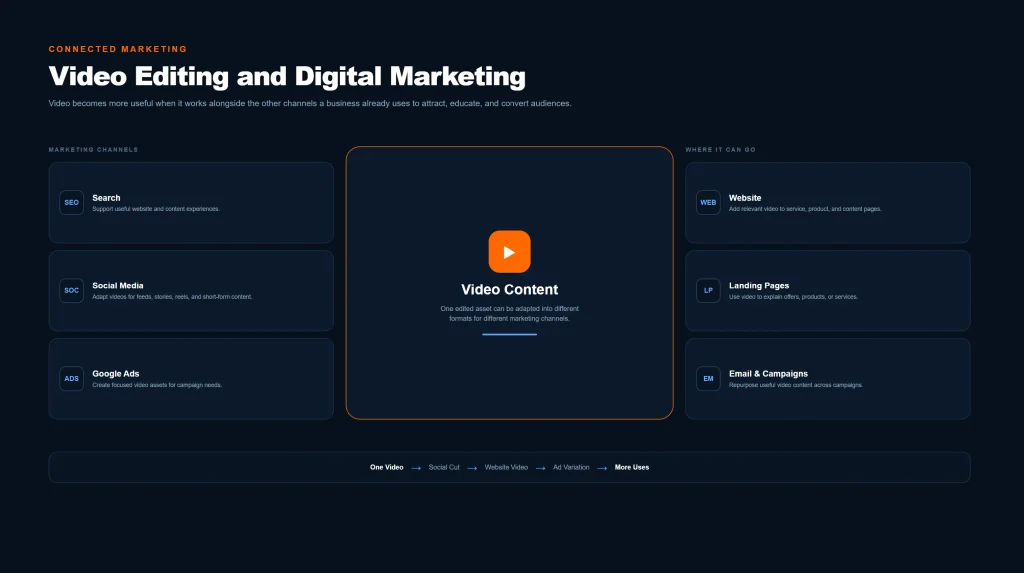
Video works best when it is connected to a larger marketing strategy.
A business might use:
- SEO to attract search traffic
- Social media to build awareness
- Paid advertising to reach targeted audiences
- A website to provide detailed information
- Video to explain products and services
- Landing pages to convert interested visitors
Video can support several of these channels at the same time.
For example, an educational video can be embedded into a website article.
A shorter version can be published on social media.
Another cut can be used in an advertisement.
A product demonstration can appear on a product page.
This creates a content ecosystem where one piece of work can support multiple marketing activities.
The key is planning the content around the business objective rather than creating videos simply because video is popular.
Video Editing and SEO
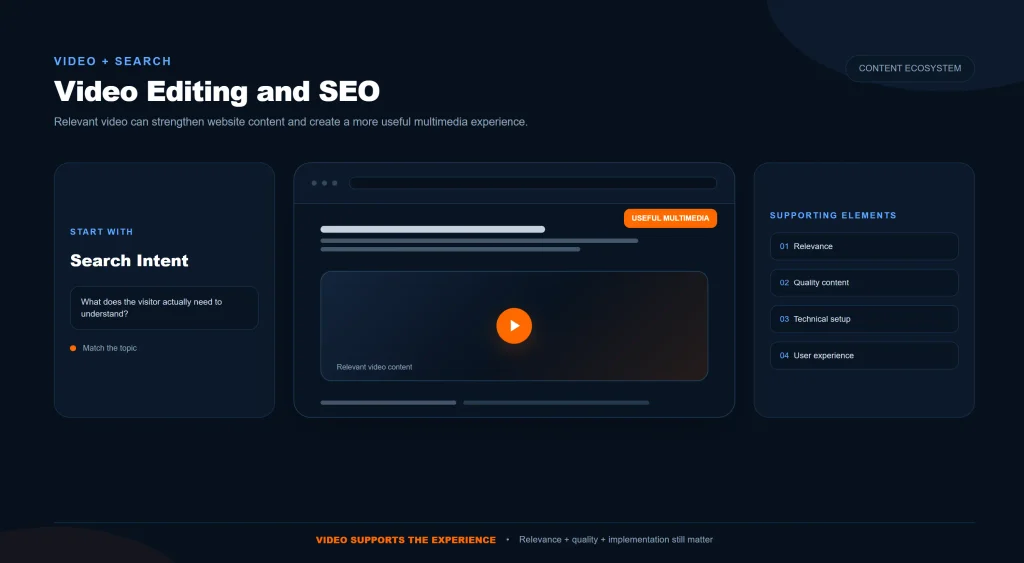
Video and SEO can complement each other, although editing alone does not automatically improve search rankings.
Search visibility depends on many factors, including relevance, content quality, technical implementation, website authority, user intent, and the search platform being targeted.
Video can support SEO in several ways.
Video Can Improve Content Depth
A useful video can add another way for visitors to understand a topic.
For example, an article explaining a complicated process could include a short video demonstration.
This gives visitors another format through which they can consume the information.
Video Can Support Search Visibility
Videos can appear in search results and video-specific search platforms when they meet the relevant requirements.
Clear titles, descriptions, structured content, and relevant topics can help platforms understand what a video is about.
Video Can Support Website Content
A video embedded into a relevant page can make that page more useful when the video genuinely adds information.
For example:
- A product page can include a product demonstration.
- A service page can include an explainer.
- A tutorial article can include a walkthrough.
- A landing page can include a short explanation.
The important point is relevance.
Adding a video simply to have a video is not the same as creating useful multimedia content.
How Businesses Can Prepare Footage for Editing
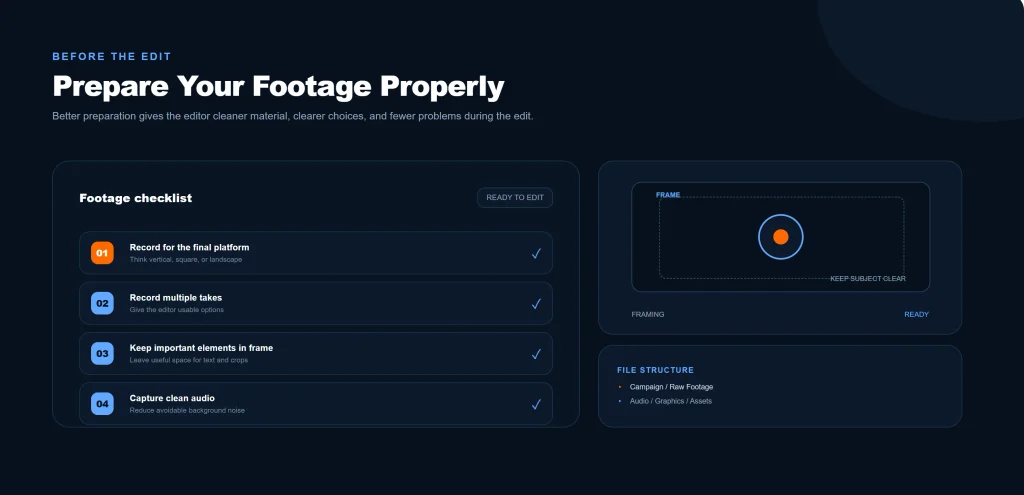
Professional editing starts with usable source material.
Businesses can make the process easier by preparing their footage properly.
Record With the Final Platform in Mind
Think about where the video will be used before recording.
A vertical social video and a horizontal website video may require different framing.
Planning ahead reduces the amount of cropping and restructuring required later.
Record More Than One Take
Important scenes may benefit from multiple takes.
This gives the editor options when selecting the strongest version.
Keep Important Elements in Frame
When recording people, products, or demonstrations, make sure important elements are clearly visible.
Record Clean Audio
If the video includes speech, audio quality should be considered during recording.
Clean source audio gives the editor more flexibility during post-production.
Organize Files
Use clear file names and folders.
For example:
- Product Demo
- Interview
- Voiceover
- Logo
- Graphics
- Music
- Raw Footage
Good organization saves time during editing.
What Does Video Editing Cost?
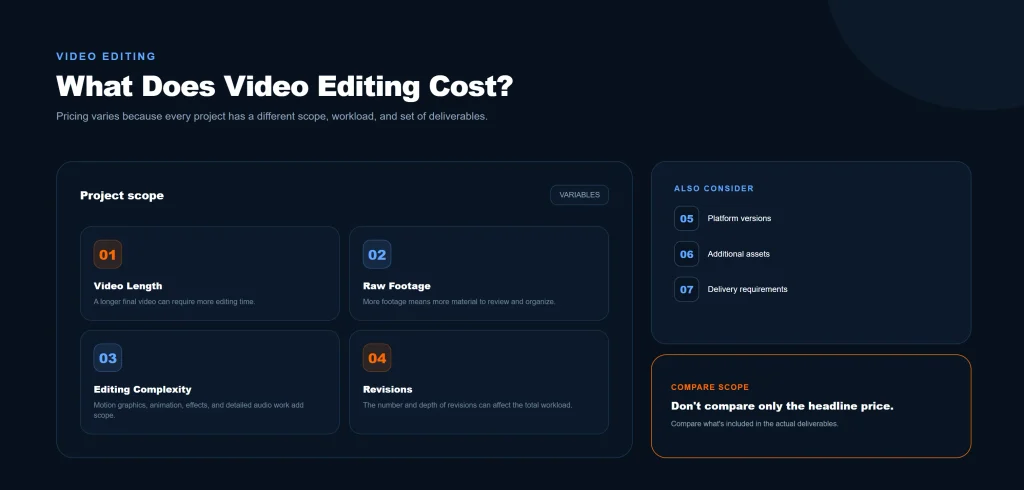
Video editing prices vary significantly because projects can have very different requirements.
A simple short-form edit is not the same as a multi-camera business presentation or a detailed promotional video.
Factors that can affect the cost include:
Video Length
Longer videos generally require more editing time, especially when they contain large amounts of footage.
Amount of Raw Footage
A project with several hours of footage may require significantly more review and selection than a project with a few short clips.
Editing Complexity
Basic cuts require less work than projects involving:
- Motion graphics
- Advanced animations
- Multiple camera angles
- Detailed captions
- Complex sound editing
- Visual effects
- Color work
Number of Revisions
Revision rounds can affect the total project workload.
A clearly defined approval process can help keep projects organized.
Platform Requirements
Different platforms may require different dimensions, lengths, captions, and versions.
Creating several variations can increase the amount of editing required.
Additional Assets
Projects may require graphics, stock footage, music, voiceovers, or other supporting material.
For this reason, businesses should compare video editing services based on the actual scope of work rather than looking only at a single headline price.
How to Choose a Video Editing Company
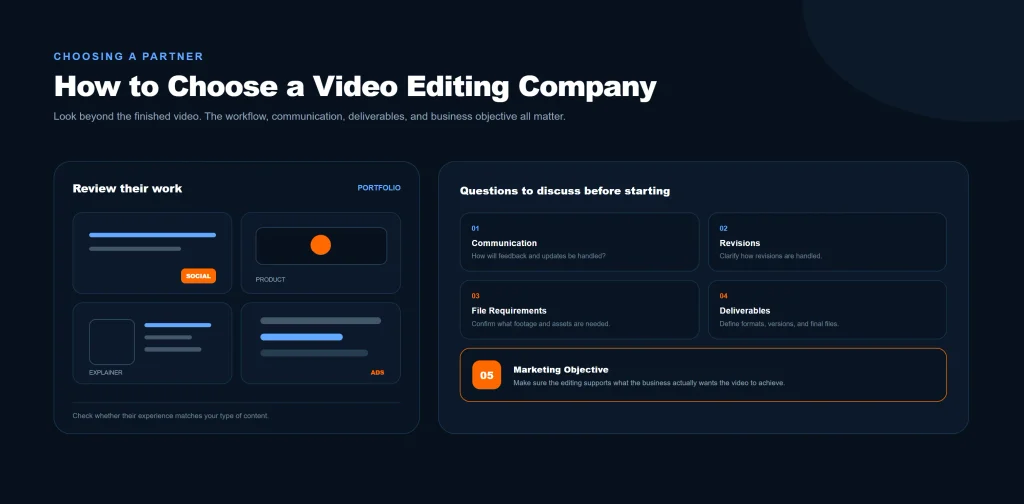
Choosing a video editor or agency should begin with the type of content you actually need.
Review Relevant Work
Look at previous projects that are similar to your own.
A company that edits social media reels may have a different workflow from one specializing in corporate presentations or long-form educational videos.
Check Communication
Editing often involves feedback and revisions.
Clear communication helps avoid unnecessary delays.
Ask About Revisions
Understand how revisions are handled before the project begins.
This can include:
- Number of revision rounds
- Feedback method
- Turnaround time
- Final approval process
Discuss File Requirements
Ask what you need to provide.
This may include:
- Raw footage
- Logos
- Brand guidelines
- Scripts
- Voiceovers
- Music
- Product information
Discuss Deliverables
Make sure both sides understand what the final project includes.
For example:
- One finished video
- Multiple short clips
- Different aspect ratios
- Captioned versions
- Platform-specific exports
Clear deliverables reduce misunderstandings.
Consider the Marketing Objective
A video editor should understand more than technical editing.
The content needs to make sense for the audience, platform, and business objective.
At OneAdSolutions, video editing can be part of a broader digital marketing strategy rather than treated as an isolated creative task. You can explore the full range of services and marketing solutions available through our homepage.
Common Video Editing Mistakes Businesses Should Avoid
Even good footage can lose effectiveness through poor editing decisions.
1. Starting Too Slowly
Long introductions can delay the main message.
The viewer should understand why the content matters as early as practical.
2. Using Too Many Effects
Transitions and effects should support the content.
Using them everywhere can make the video feel distracting and inconsistent.
3. Ignoring Audio
Poor audio can make an otherwise polished video difficult to watch.
Always review speech, music, and background noise.
4. Adding Too Much Text
Text should make information easier to understand.
Large amounts of text can compete with the visuals.
5. Making Every Video the Same Length
Different topics require different amounts of time.
A useful video should be as long as necessary to communicate the idea clearly, not a fixed length simply for consistency.
6. Forgetting the Audience
A video designed for existing customers may look different from one designed to introduce a brand to new audiences.
Editing decisions should reflect the intended viewer.
7. Ignoring Platform Format
A video designed for a horizontal screen may not work properly when simply uploaded to a vertical platform.
Aspect ratio and framing should be considered during the editing process.
8. Focusing Only on Appearance
A beautiful video that communicates nothing is still a weak marketing asset.
Visual quality should support the message rather than replace it.
9. Forgetting the Next Step
If the video is part of a marketing campaign, viewers should have a logical next action when appropriate.
Frequently Asked Questions About Video Editing
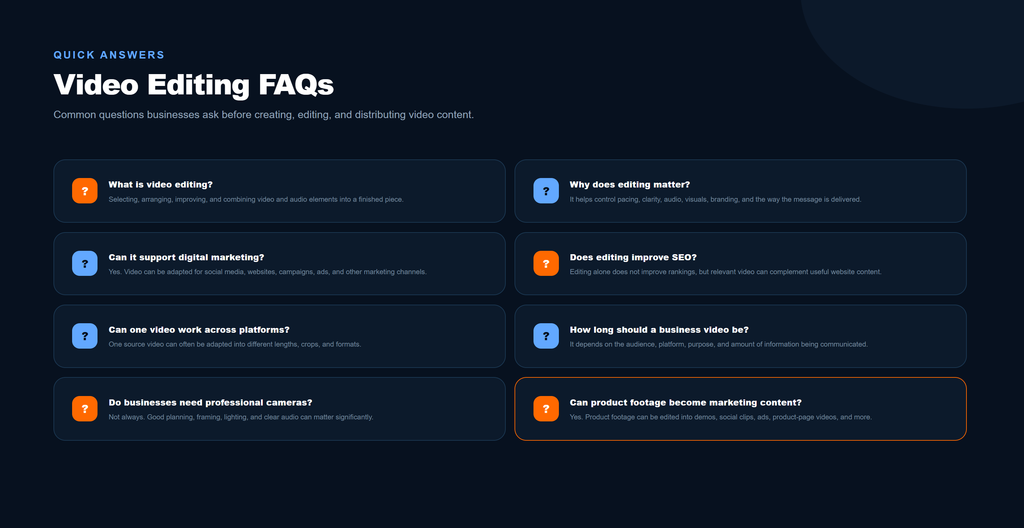
What is video editing?
Video editing is the process of turning raw footage and other visual or audio assets into a finished video. It can include cutting footage, arranging scenes, improving audio, adding captions, applying visual adjustments, and preparing the final video for publication.
Why is video editing important for businesses?
Video editing helps businesses turn raw material into clear and professional content. Good editing can improve pacing, communication, audio quality, visual consistency, and platform suitability.
Can video editing help digital marketing?
Yes. Video can support social media, advertising, websites, product pages, educational content, and other digital marketing activities. Its value depends on how well the content matches the audience and marketing objective.
Does video editing improve SEO?
Video editing itself does not automatically improve SEO rankings. However, useful video content can support website content, provide additional information for visitors, and create opportunities for visibility across video and search platforms.
What types of videos can businesses create?
Businesses can create social media videos, promotional videos, product videos, explainer videos, tutorials, interviews, educational videos, video advertisements, demonstrations, and many other formats.
Can one video be used on multiple platforms?
Yes. A video can often be adapted into different versions for different platforms. The aspect ratio, length, captions, pacing, and call to action may need to be adjusted for each use.
How long should a business video be?
There is no universal ideal length. The appropriate length depends on the platform, audience, topic, and purpose. The video should provide the necessary information without adding unnecessary material.
Do businesses need professional cameras for video editing?
Not always. Modern smartphones can produce usable footage for many types of content. The quality of the final result also depends on lighting, audio, framing, source material, and editing.
Can product footage be turned into marketing videos?
Yes. Product footage can be edited into demonstrations, promotional videos, social media content, advertisements, and product-page videos.
How often should a business create video content?
There is no universal posting schedule for every business. A sustainable schedule depends on the company’s audience, resources, content strategy, and marketing goals. Consistent useful content is generally more practical than creating large amounts of low-quality material.
Building a Video Strategy That Supports the Business
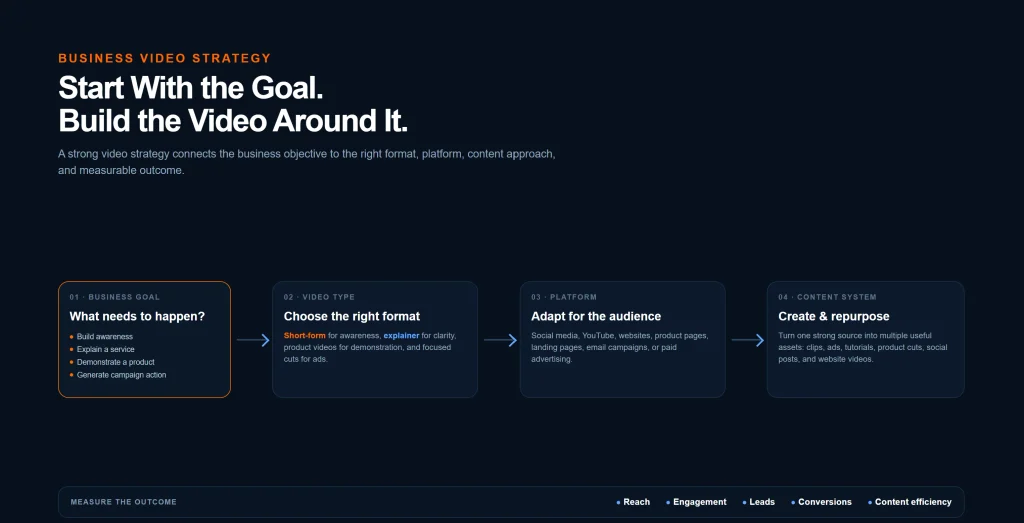
Video should not exist separately from the rest of a company’s marketing.
The strongest approach is to decide what the business wants to achieve first and then determine how video can support that goal.
For example:
Need more awareness?
Short-form social content may help introduce the brand.
Need to explain a service?
An explainer video may make the offer easier to understand.
Need to demonstrate a product?
Product-focused video can show features and usage.
Need advertising content?
Short, focused video variations can be created for paid campaigns.
Need stronger website content?
Relevant videos can supplement service pages, product pages, and educational resources.
Need more content from existing material?
Long-form recordings can potentially be repurposed into multiple shorter videos.
This approach turns video editing from a one-time creative task into part of a repeatable content system.
Video Editing Is More Than Making Videos Look Good
Good video editing is not simply about adding transitions, effects, or music.
It is about deciding what the viewer should see, hear, and understand — and then building the video around that goal.
The strongest business videos usually combine:
- Clear messaging
- Strong pacing
- Useful visuals
- Clean audio
- Consistent branding
- Appropriate formatting
- A clear purpose
- A logical next step
When these elements work together, video becomes more than another piece of content.
It becomes a reusable marketing asset.
A single project can potentially support social media, websites, advertising, product pages, educational content, and future campaigns.
That is what makes video editing valuable for businesses that want to communicate more effectively across digital channels.
Final Thoughts
Businesses no longer have to rely on a single format to communicate with customers.
People can discover a company through search, social media, advertising, websites, product pages, and video platforms.
Video gives businesses another way to explain their value and connect with their audience.
But the goal should not be to create video simply because everyone else is doing it.
The goal should be to create the right video for the right audience, platform, and marketing objective.
Professional editing helps turn raw material into content that is clearer, more engaging, and more consistent with the brand.
Whether the project is a short social media reel, product demonstration, advertisement, educational video, or long-form business presentation, thoughtful editing can make the content significantly more useful.
If your business needs professional video content that fits into a broader digital marketing strategy, explore our Video Editing Services to see how we can help turn your footage and ideas into finished marketing content.