
Your website can be working for your business 24 hours a day, 7 days a week.
It can introduce your services to someone searching on Google, answer questions from a potential customer, showcase your work, collect a lead, process an order, or convince a visitor to contact you — even when your team is offline.
That makes a business website more than an online brochure. It is a digital storefront and conversion engine that sits at the center of many marketing activities.
But simply having a website is not enough.
A slow website, confusing navigation, weak messaging, poor mobile experience, or broken functionality can turn valuable traffic into missed opportunities. You can invest in SEO, Google Ads, social media, and content marketing, but if the website fails to provide a good experience after visitors arrive, part of that investment can be wasted.
This is where website development becomes important.
Website development involves building the structure, functionality, performance, and technical foundation that allow a website to work properly. It can include front-end development, back-end programming, content management systems, integrations, performance optimization, testing, security, deployment, and ongoing maintenance.
This guide explains how website development works, what makes a business website effective, how development supports SEO and conversions, common mistakes to avoid, and how to choose the right development approach for businesses like OneAdSolutions.
What Is Website Development?
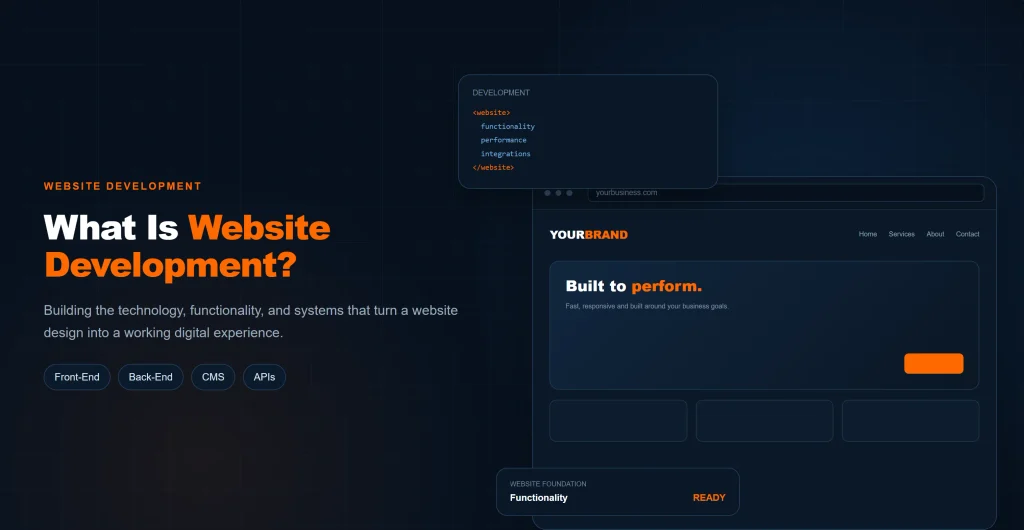
Website development is the process of building, implementing, maintaining, and improving a website so that it functions properly for users and supports the goals of the business.
Depending on the project, development can involve creating visible website components, programming functionality behind the scenes, connecting external services, configuring a content management system, optimizing performance, and maintaining the website after launch.
A simple business website may require relatively straightforward development, while an e-commerce store, membership platform, or web application can require considerably more complex systems.
Website Development Explained
When someone visits a website, several technical components work together to deliver the page they see.
The browser receives files and information from a web server and uses them to display the website. The visible interface may contain text, images, navigation menus, forms, buttons, animations, and other interactive elements.
Behind that interface, a website may also use databases, server-side programming, APIs, authentication systems, payment services, analytics platforms, and other technologies.
Website development brings these components together into a functioning website.
The technologies used depend on the project’s requirements. A small business website may use a content management system such as WordPress, while a larger project may require custom development and specialized infrastructure.
What Does a Website Developer Do?
A website developer’s responsibilities depend on the type and complexity of the project.
A developer may:
- Build website functionality
- Create interactive elements
- Configure a CMS
- Connect databases and APIs
- Integrate third-party services
- Improve website performance
- Fix technical problems
- Test different devices and browsers
- Implement security measures
- Maintain the website after launch
Developers may specialize in different areas.
Website design focuses primarily on the visual interface and user experience. This can include layouts, typography, colors, spacing, visual hierarchy, navigation, and how users move through the website.
Front-end developers primarily work on the parts of a website users interact with.
Back-end developers work on server-side functionality, databases, APIs, authentication, and other systems operating behind the interface.
Some developers work across both areas and are commonly described as full-stack developers.
Website Development vs. Website Design
Website design and website development are closely related, but they are not the same thing.
Design focuses primarily on the visual interface and user experience, including the layout, colors, typography, navigation, and overall look of a website.
For example, a designer might create the layout for a contact form, while a developer makes sure the form actually submits information correctly and connects to the required system.
A successful business website generally needs both effective design and reliable development.
How Website Development Supports Digital Marketing
A website is often the destination for traffic generated by other marketing channels.
SEO can bring visitors from search engines. Google Ads can send paid traffic to landing pages. Social media can introduce people to the business. Content marketing can attract visitors researching a particular topic.
These channels work together as part of a broader digital marketing strategy. For a deeper look at how these channels connect, see our digital marketing guide.
The website then needs to provide those visitors with a useful experience and a clear path toward taking action.
If the website is slow, difficult to navigate, poorly structured, or unclear about what the business offers, increasing traffic alone may not solve the problem.
Website development should therefore be treated as part of the broader digital marketing system rather than as an isolated technical task.
Website development is only one part of a complete online strategy. Businesses may also need SEO, Google Ads, social media marketing, and other digital marketing services depending on their goals.
How Website Development Works: From Planning to Launch
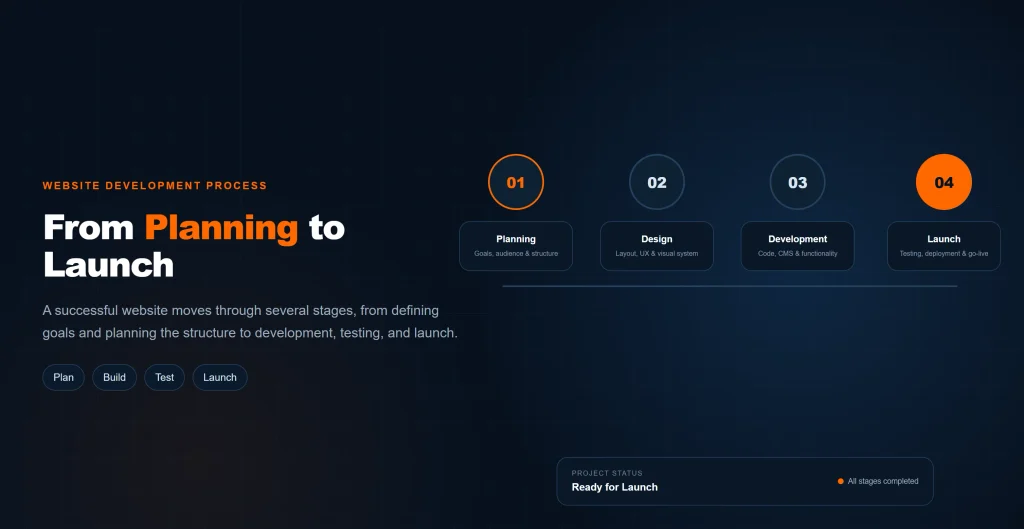
Website development is not simply the process of writing code.
A successful project usually moves through several connected stages, beginning with business requirements and ending with testing, launch, and ongoing maintenance.
Keeping these stages together makes it easier to understand how a website moves from an initial idea to a functioning digital platform.
Step 1: Define Goals and Requirements
Before development begins, the business needs to determine what the website is supposed to accomplish.
The primary goal might be:
- Generating leads
- Selling products
- Booking appointments
- Collecting inquiries
- Building brand credibility
- Providing information
- Publishing educational content
- Supporting marketing campaigns
The goals influence the website’s pages, content, navigation, calls to action, functionality, and technical requirements.
For example, a lead-generation website needs prominent contact options and forms, while an e-commerce website requires product catalogs, checkout functionality, payment processing, and order management.
Starting with clear requirements reduces the likelihood of major changes later in the project.
Step 2: Research the Audience and Competitors
The website should be built around the people who will actually use it.
Audience research can help identify:
- What visitors are looking for
- What questions they have
- What problems they want to solve
- What information they need before contacting a business
- What actions they are likely to take
Competitor research can also reveal common expectations within the industry.
The goal is not to copy competitors. Instead, research can help identify opportunities to create a clearer, more useful, or more effective website experience.
Step 3: Plan the Sitemap and Website Structure
The sitemap and page hierarchy determine how information is organized.
A service business might structure its website around:
Home → Services → Individual Service Pages → Supporting Content
An e-commerce website may instead use:
Home → Categories → Products → Product Details → Checkout
Planning this structure before development helps prevent unnecessary restructuring later.
It also provides a foundation for navigation and internal linking.
Step 4: Create Wireframes and User Flows
Wireframes provide a basic representation of page layouts before detailed visual design and development.
They can help determine where important content, navigation, forms, calls to action, and other elements should appear.
User flows show how visitors may move through the website.
For example:
Landing Page → Service Information → Case Study → Contact Form → Lead
Thinking about these journeys before development can help remove unnecessary steps and reduce friction.
Step 5: Design the User Interface
Once the structure is established, the visual interface can be designed.
This can include:
- Typography
- Colors
- Spacing
- Buttons
- Navigation
- Cards
- Images
- Forms
- Page layouts
- Mobile layouts
The design should support usability and business objectives rather than simply adding visual effects.
A visually impressive website can still perform poorly if visitors cannot understand the message or find the next step.
Step 6: Develop the Website
Once the structure and design are ready, developers implement the website.
Depending on the project, this can involve:
- HTML, CSS, and JavaScript
- CMS configuration
- Front-end development
- Back-end programming
- Database integration
- APIs
- Forms
- E-commerce functionality
- User accounts
- Third-party integrations
The development approach should match the requirements rather than using unnecessary technology simply because it is available.
Step 7: Add and Optimize Content
Content should be added with both users and business objectives in mind.
This can include:
- Page copy
- Headings
- Service descriptions
- Product information
- Images
- Calls to action
- Metadata
- Blog content
- Supporting resources
Content should answer the visitor’s questions and match the purpose of each page.
Keyword placement can support SEO, but content should not be written simply to repeat keywords.
Step 8: Test the Website
Testing should cover both appearance and functionality.
Important checks can include:
- Navigation
- Internal links
- Contact forms
- Buttons
- Images
- Mobile layouts
- Desktop layouts
- Browser compatibility
- Page loading
- Error handling
- E-commerce functionality
- Analytics
- Redirects
- Indexing settings
Testing should happen before launch rather than relying on visitors to discover problems.
Step 9: Launch the Website
Launching involves moving the completed website into its live environment and configuring the required technical systems.
Depending on the project, this can include:
- Domain configuration
- Hosting
- DNS
- SSL
- Redirects
- Analytics
- Search engine tools
- Sitemap configuration
- Security settings
A final pre-launch checklist can catch problems before the website becomes publicly accessible.
Step 10: Monitor and Maintain the Website
Website development does not necessarily end when the site goes live.
Websites change over time because software is updated, plugins become outdated, browsers change, business information changes, and new functionality may be required.
Ongoing maintenance can include:
- Software updates
- Backups
- Security checks
- Broken-link monitoring
- Performance testing
- Content updates
- Compatibility testing
- Technical improvements
A maintenance process helps keep the website functional and useful as the business grows.
Why Does Website Development Matter for Businesses?
A website can influence how potential customers perceive a business, how easily they can find information, and whether they complete an important action.
Creates a Professional Online Presence
For many customers, a company’s website is one of the first places they visit when researching the business.
A professional website can make it easier for visitors to:
- Understand what the business offers
- Learn about its services
- Find contact information
- Evaluate its credibility
- Take the next step
Professional presentation does not guarantee trust, but a confusing or outdated website can create unnecessary doubt.
Helps Turn Visitors Into Customers
Traffic is only valuable when the website can turn at least some of that attention into meaningful outcomes.
Depending on the business, the desired action might be:
- Requesting a quote
- Calling the company
- Submitting a form
- Booking an appointment
- Purchasing a product
- Starting a consultation
Clear messaging, relevant information, visible calls to action, and straightforward navigation can reduce friction between arriving on a website and completing an action.
Improves the User Experience
User experience includes everything from navigation and readability to page speed and mobile usability.
Poor UX creates friction.
A visitor may:
- Struggle to find the right page
- Wait for a slow page to load
- Have difficulty reading content on mobile
- Encounter confusing navigation
- Fail to understand what to do next
- Abandon a form because it is difficult to complete
Every unnecessary obstacle creates another opportunity for a potential customer to leave.
Poor UX Can Cost Potential Revenue
Imagine a business receives thousands of visitors each month but loses a significant portion because its website is slow, confusing, or difficult to use.
The problem is not necessarily a lack of traffic.
The problem may be the experience after the traffic arrives.
Even relatively small improvements in usability can matter when a website receives substantial traffic or handles high-value leads.
This is why conversion optimization should be considered during development rather than added as an afterthought.
Supports Search Engine Optimization
Website development provides part of the technical foundation needed for SEO.
Development can affect:
- Crawlability
- Indexability
- Mobile usability
- Page speed
- URL structure
- Internal linking
- Redirects
- Structured data
- Website architecture
Good development does not guarantee rankings, but technical problems can make SEO significantly more difficult.
Supports Paid Advertising
Paid advertising can generate targeted traffic, but the website still needs to convert that traffic into useful actions.
For example, a business may pay for Google Ads clicks targeting a specific service.
If those visitors arrive on a slow page with unclear messaging and no obvious next step, the advertising budget may generate traffic without generating enough business value.
The advertisement gets the visitor there. The website has to give them a reason to continue.
Makes Future Growth Easier
Businesses rarely remain exactly the same.
They may:
- Add new services
- Expand into new locations
- Publish more content
- Introduce e-commerce
- Add customer accounts
- Integrate new software
- Launch new marketing campaigns
A well-planned website can make these changes easier.
A poorly structured website may become increasingly difficult to manage as more pages and functionality are added.
What Makes a Good Business Website?
A strong business website balances appearance, usability, performance, functionality, accessibility, and business objectives.
Responsive Design
Responsive design allows a website to adapt to different screen sizes.
Visitors may access a website from desktop computers, laptops, tablets, and smartphones.
The layout, navigation, text, images, and interactive elements should remain usable across those environments.
Mobile users should not have to zoom in, scroll horizontally, or struggle to tap important buttons.
Fast Page Loading
Performance directly affects the experience visitors have with a website.
Large images, unnecessary scripts, excessive plugins, poor hosting, and inefficient implementation can all contribute to slower pages.
Slow pages create friction before visitors even see the content.
That friction can affect engagement, form completion, product browsing, and other conversion actions.
Core Web Vitals and Conversion Experience
Core Web Vitals measure important aspects of real-world page experience, including loading performance, responsiveness, and visual stability.
For businesses, these measurements matter because technical performance is connected to what visitors actually experience.
A page that takes too long to become usable can cause visitors to leave before reading the offer. A page that shifts unexpectedly can cause users to click the wrong element. A slow response to an interaction can make the website feel unreliable.
Poor performance can therefore become a conversion problem, not just a technical problem.
The exact impact on conversions varies by website, audience, device, and business model, so businesses should measure their own performance rather than assuming a specific percentage improvement.
Clear Website Navigation
Visitors should be able to move around a website without having to guess where important information is located.
Main navigation should prioritize the pages users are most likely to need.
Internal links can then connect related pages and provide additional paths through the website.
Clear Messaging
A visitor should be able to understand what a business offers without having to read several pages first.
Important pages should communicate:
- What the business provides
- Who it serves
- What problem it solves
- Why the visitor should care
- What the visitor should do next
Clear messaging is especially important on homepages and landing pages.
Strong Calls to Action
A call to action tells visitors what they can do next.
Examples include:
- Request a Quote
- Contact Us
- Book a Consultation
- Get Started
- Buy Now
- Learn More
The appropriate CTA depends on the purpose of the page.
A visitor researching a service may need a different next step from someone who is ready to purchase.
Trust-Building Elements
Trust can be supported through relevant evidence and transparent information.
Depending on the business, this can include:
- Customer reviews
- Testimonials
- Case studies
- Business information
- Service details
- Team information
- Contact information
- Policies
- Portfolio examples
Trust should not rely entirely on visual design. Visitors need useful information that helps them evaluate the business.
Secure Website Infrastructure
Security becomes particularly important for websites that collect customer information, process payments, or provide user accounts.
Security considerations can include:
- HTTPS
- Secure authentication
- Software updates
- Backups
- Access controls
- Security monitoring
The exact requirements depend on the type and complexity of the website.
Accessible Content and Interfaces
Websites should be usable by as many people as reasonably possible.
Accessibility can include:
- Readable text
- Appropriate contrast
- Descriptive links
- Alternative text for meaningful images
- Usable forms
- Keyboard navigation
- Clear interface patterns
Accessibility is an important part of responsible web development and can also improve the overall usability of a website.
Types of Website Development
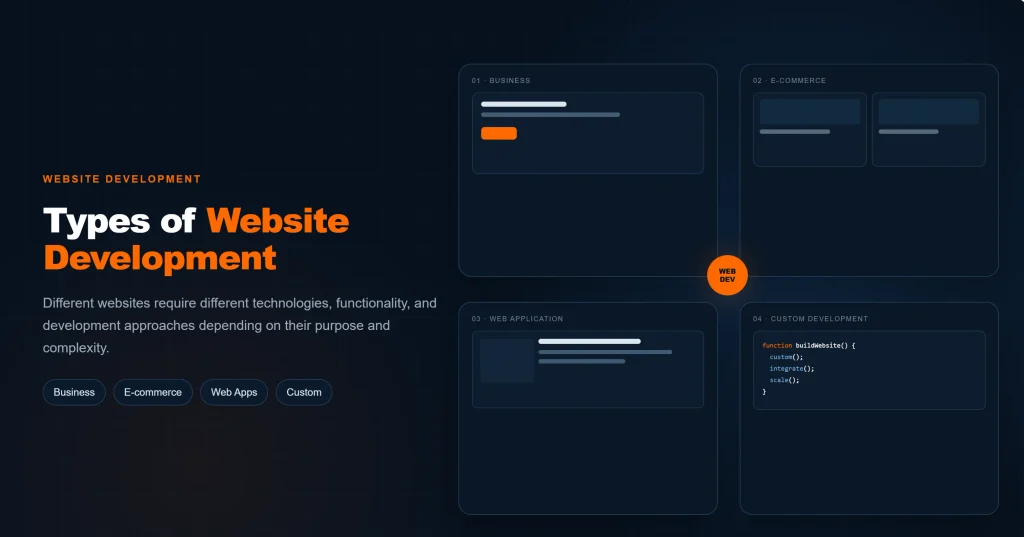
Different businesses require different types of websites.
Business Websites
A business website provides information about a company, its services, products, expertise, and contact options.
These websites are common among service businesses, agencies, consultants, professional firms, and local businesses.
Their goals may include generating leads, building credibility, explaining services, and helping potential customers take the next step.
E-commerce Websites
E-commerce websites allow customers to browse products and complete purchases online.
Development can involve:
- Product catalogs
- Search and filtering
- Shopping carts
- Checkout systems
- Payment processing
- Customer accounts
- Inventory management
- Order processing
- Shipping integrations
Because e-commerce involves transactions and customer information, reliability and security are particularly important.
Landing Pages
A landing page is typically built around a specific marketing goal.
For example, a business may create a landing page for a Google Ads campaign targeting a particular service.
A focused landing page can present information directly related to the advertisement and provide a clear next step.
Portfolio Websites
Portfolio websites are commonly used by designers, photographers, developers, agencies, artists, and other professionals who need to showcase previous work.
Development should make it easy to present projects while also providing useful information about the professional or business behind them.
Blog and Content Websites
Content-focused websites publish articles, guides, research, educational material, news, or other resources.
As the content library grows, organization becomes increasingly important.
Categories, internal links, author information, search functionality, and clear navigation can help visitors discover relevant content.
Web Applications
Web applications are more complex than standard informational websites.
They may include:
- User accounts
- Dashboards
- Databases
- Messaging
- Booking systems
- Customer portals
- Business tools
- Advanced integrations
These projects often require more extensive back-end development, security planning, testing, and ongoing technical support.
Website Development and SEO
SEO and website development overlap in several important areas.
Development does not replace SEO, but technical implementation can either support SEO work or make it more difficult.
SEO-Friendly Website Structure
A website should have a logical structure that allows both visitors and search engines to understand how pages relate to one another.
Clear navigation, descriptive URLs, logical page hierarchies, and relevant internal links contribute to this structure.
For example, a detailed article about website development can naturally link to a business’s website development service page.
Mobile Usability
Search visitors can arrive through a wide range of devices.
A website that works well on desktop but provides a poor mobile experience can create usability problems.
Responsive layouts, readable text, usable buttons, appropriate spacing, and mobile-friendly navigation are therefore important parts of modern website development.
Page Speed and Core Web Vitals
Performance should be measured rather than assumed.
Developers can improve performance through:
- Image optimization
- Efficient code
- Caching
- Appropriate hosting
- Reducing unnecessary scripts
- Removing unnecessary resources
- Optimizing third-party integrations
The objective is not simply to achieve a perfect performance score. The goal is to provide a fast, stable, responsive experience for real visitors.
Technical SEO Foundations
Website development may need to account for several technical SEO elements, including:
- Crawlability: Search engines should be able to access important pages.
- Indexability: Important pages should not accidentally be blocked from being indexed.
- XML sitemaps: Relevant URLs should be included in an accurate sitemap where appropriate.
- Robots.txt: Crawling rules should not unintentionally prevent search engines from accessing important resources.
- Canonical URLs: Duplicate or closely related URLs should be handled appropriately.
- Redirects: Old or changed URLs should redirect correctly when necessary.
- HTTPS: The website should use secure connections.
- Structured data: Relevant structured data should be implemented correctly when it helps search engines understand the page.
- Clean URLs: URLs should be descriptive, readable, consistent, and logically organized.
Technical SEO should also include regular checks after launch.
A website can accidentally introduce noindex directives, broken redirects, blocked resources, duplicate URLs, incorrect canonical tags, or other issues during redesigns and development changes.
The takeaway is simple: development should give search engines a clean, accessible, understandable website.
Indexability should be checked before and after launch, URL structures should remain clean and consistent, and structured data should be implemented according to the content it actually represents.
Good technical foundations do not guarantee rankings, but they reduce avoidable obstacles that can interfere with crawling, indexing, and SEO performance.
Internal Linking
Internal links connect pages within the same website.
For example, this guide can link to a website development service page, while the broader digital marketing pillar can link to this detailed guide.
A strong internal linking structure helps visitors discover related information and creates clearer relationships between pages.
Internal links should be useful and contextual rather than added simply to increase the number of links.
Website Development Does Not Guarantee Rankings
A technically strong website is not automatically going to rank highly.
SEO also depends on:
- Content quality
- Search intent
- Relevance
- Competition
- Authority
- User experience
- Website trust
- Ongoing optimization
The role of development is to provide a solid technical foundation that allows the website’s content and broader SEO strategy to perform effectively.
How Much Does Website Development Cost?
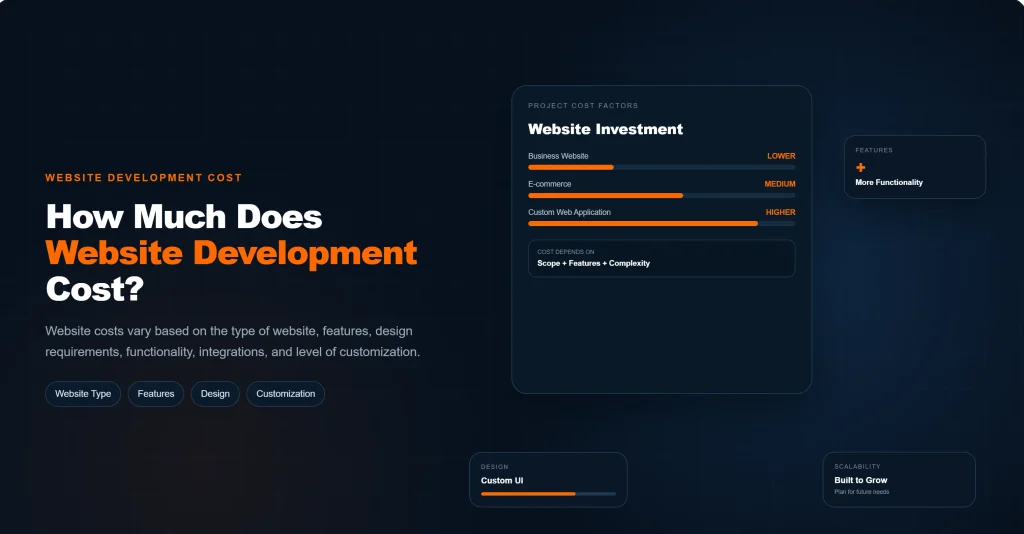
There is no single price that applies to every website development project.
The cost depends heavily on what the website needs to do.
Factors That Affect Website Development Cost
Important factors can include:
- Number of pages
- Design complexity
- CMS requirements
- Custom functionality
- E-commerce features
- Third-party integrations
- Payment systems
- User accounts
- Content creation
- SEO requirements
- Hosting
- Security
- Ongoing maintenance
A simple informational website can have very different development requirements from an e-commerce platform or custom web application.
Template-Based vs. Custom Website Development
Templates can provide a faster starting point because the basic design and structure already exist.
They may be appropriate for businesses with straightforward requirements and limited customization needs.
Custom development provides greater control over:
- Design
- Functionality
- Integrations
- Performance
- Technical architecture
- Scalability
Neither approach is automatically right for every business.
The better choice depends on the project’s goals, budget, requirements, timeline, and expected growth.
Why the Cheapest Website Is Not Always the Best Option
Choosing a website solely because it has the lowest initial price can create problems later.
A poorly developed website may require additional work to fix:
- Performance problems
- Security issues
- Broken functionality
- Poor mobile layouts
- Technical SEO problems
- Difficult-to-maintain systems
Businesses should evaluate the overall value of the project rather than comparing prices without considering what is included.
How to Choose a Website Development Company
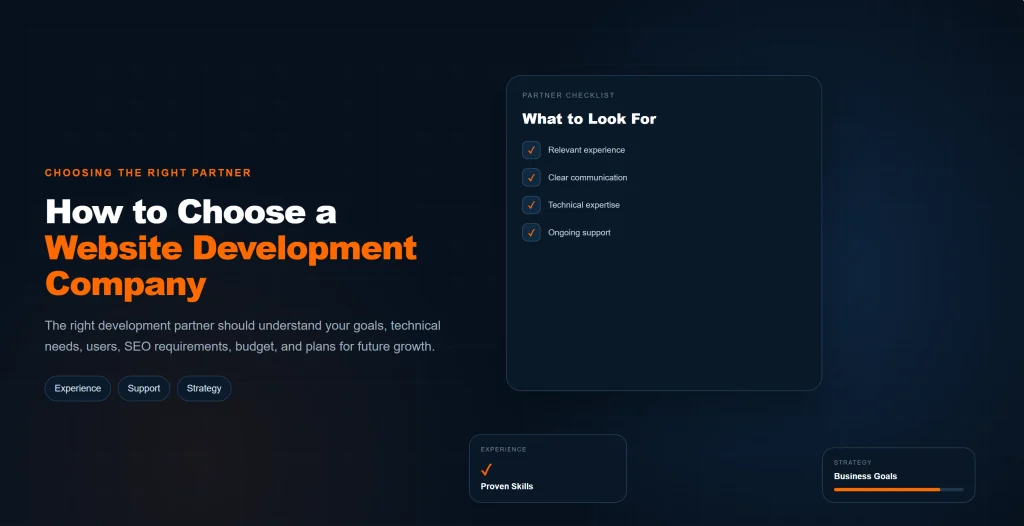
Choosing a development partner requires more than looking at a portfolio.
Review Their Previous Work
Look at previous websites to evaluate:
- Design quality
- Functionality
- Responsiveness
- Navigation
- Performance
- Overall user experience
If possible, interact with the websites rather than only viewing screenshots.
Check Their Technical Capabilities
Different developers have different areas of expertise.
Depending on your project, you may need experience with:
- WordPress
- E-commerce
- Custom development
- APIs
- Databases
- Integrations
- Performance optimization
- Technical SEO
Make sure the developer’s capabilities match the requirements of your project.
Ask About SEO and Performance
A website should be built with its future marketing needs in mind.
Ask how the developer approaches:
- Page speed
- Mobile usability
- URL structure
- Technical SEO
- Redirects
- Indexing
- Internal linking
- Analytics
This is particularly important if the website will be part of an ongoing SEO strategy.
Understand Their Maintenance and Support
Find out what happens after launch.
Ask whether updates, bug fixes, security monitoring, backups, performance improvements, and future changes are included or available separately.
A website can require technical support long after the original development project is complete.
Look for Clear Communication
A development project should have clear expectations around:
- Requirements
- Timelines
- Deliverables
- Revisions
- Ownership
- Access
- Communication
Clear communication helps prevent misunderstandings and makes it easier to identify problems before they become expensive to fix.
Common Website Development Mistakes
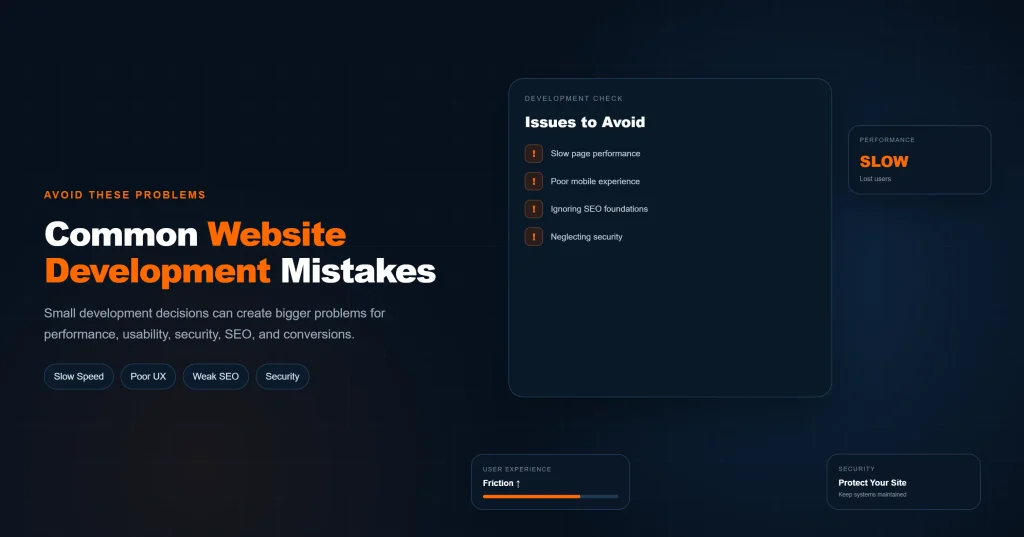
Even businesses that invest in professional development can make mistakes if the project is not properly planned.
Building Without Clear Goals
Before development begins, a business should know what the website is supposed to accomplish.
A website designed primarily to generate leads will need a different structure from an e-commerce store or a portfolio website.
Without clear goals, businesses can end up with attractive pages that do not guide visitors toward meaningful actions.
Start with the business objective.
The goal might be generating quote requests, selling products, booking appointments, collecting leads, or providing information.
That goal should influence the site’s page structure, content, navigation, and calls to action.
Ignoring Mobile Users
A website can look excellent on a large desktop screen and still provide a poor experience on a phone.
Mobile users may encounter:
- Small text
- Difficult-to-tap buttons
- Hard-to-use menus
- Images that do not fit the screen
- Unnecessary horizontal scrolling
- Forms that are difficult to complete
Responsive development helps the website adapt to different screen sizes rather than treating mobile as an afterthought.
Prioritizing Appearance Over Usability
Visual design matters, but appearance should support the website’s purpose rather than interfere with it.
A highly animated page may look impressive while making information harder to find.
Good design should make the website easier to use, not harder.
Visitors should be able to understand the page, navigate the website, find important information, and complete actions without unnecessary effort.
Using Too Many Plugins or Unnecessary Features
Adding more functionality does not automatically make a website better.
On platforms such as WordPress, businesses can install plugins for forms, analytics, sliders, pop-ups, optimization, security, social feeds, and many other features.
However, unnecessary plugins can:
- Increase maintenance requirements
- Create compatibility problems
- Affect performance
- Increase security considerations
- Make troubleshooting more difficult
Every feature should have a clear purpose.
Ignoring Website Speed
Large images, unnecessary scripts, excessive plugins, poor hosting, and inefficient code can all contribute to slower pages.
Speed should be considered during development, not treated as an emergency fix after launch.
Businesses should optimize important resources and test important pages before the website goes live.
Poor Navigation and Page Structure
Visitors should not have to search through several unrelated pages to find basic information.
A website should have a logical hierarchy that makes important pages easy to discover.
Good structure benefits both users and search engines.
Main navigation should focus on important pages, while internal links can connect related information throughout the website.
Forgetting SEO During Development
SEO should not be treated as something that is added only after the website has already been built.
Development decisions can affect:
- Crawling
- Indexing
- URLs
- Page hierarchy
- Internal linking
- Mobile usability
- Performance
- Redirects
This does not mean developers can guarantee rankings.
Instead, the website should provide a technically sound foundation that allows high-quality content and ongoing SEO work to perform effectively.
Launching Without Proper Testing
A website should not be considered finished simply because all the pages have been created.
Before launch, important functionality should be tested across relevant devices and browsers.
The pre-launch checklist should cover both visible and technical issues.
Forms should submit correctly, buttons and links should work, images should display properly, and important pages should load as expected.
Businesses should also check:
- Redirects
- Metadata
- Indexing settings
- Analytics
- Sitemap configuration
- Security settings
- Broken links
- Mobile layouts
Not Maintaining the Website After Launch
Launching a website is not necessarily the end of development.
Software, plugins, browsers, security requirements, business information, and customer expectations change over time.
Regular maintenance can include:
- Software updates
- Backups
- Security checks
- Broken-link monitoring
- Performance reviews
- Content updates
- Functionality testing
A website needs ongoing attention if it is expected to remain secure, functional, and useful.
Website Development FAQs
What is website development?
Website development is the process of building and maintaining the technical functionality of a website.
It can include front-end development, back-end programming, databases, integrations, content management systems, performance optimization, testing, deployment, and ongoing maintenance.
Web design focuses more heavily on the visual interface and user experience, while development turns that structure and design into a functioning website.
What is the difference between web design and web development?
Web design primarily focuses on how a website looks and how users interact with its interface.
This can include layouts, typography, colors, navigation, visual hierarchy, and user experience.
Web development focuses on implementing the website and making its functionality work.
Depending on the project, this can involve HTML, CSS, JavaScript, server-side programming, databases, APIs, CMS configuration, and other technologies.
The two areas overlap, and a successful business website generally needs both effective design and reliable development.
How long does it take to develop a business website?
The timeline depends on the website’s size, functionality, content, design requirements, and development approach.
A relatively simple business website with a limited number of pages may take considerably less time than an e-commerce store, membership platform, or custom web application.
The process can also take longer when content is not ready, requirements change during development, integrations are required, or extensive revisions are needed.
A realistic timeline should therefore be based on the actual project requirements rather than a fixed number of days.
How much does website development cost?
Website development costs vary considerably depending on the project’s requirements.
Factors can include the number of pages, design complexity, CMS or technology used, custom functionality, e-commerce requirements, third-party integrations, content creation, SEO requirements, hosting, and ongoing maintenance.
Instead of choosing a developer solely based on the lowest price, businesses should consider what is included in the project and whether the website can meet their long-term requirements.
Is WordPress good for business websites?
WordPress can be a practical option for many businesses because it provides a flexible content management system and allows businesses to manage and publish content without building every page from scratch.
It can support company websites, blogs, service websites, landing pages, and e-commerce through appropriate extensions.
However, the platform itself does not automatically make a website fast, secure, or SEO-friendly.
The quality of the theme, plugins, hosting, configuration, development, content, and ongoing maintenance still matters.
Does website development affect SEO?
Yes.
Website development provides part of the technical foundation that SEO depends on.
Development decisions can affect page speed, mobile usability, crawlability, URL structure, internal linking, indexability, redirects, structured data implementation, and other technical elements.
However, good development alone does not guarantee search rankings.
SEO also depends on factors such as content quality, search intent, relevance, competition, authority, and the overall quality of the website.
Should I choose a custom website or a template?
The right choice depends on the business’s requirements, budget, timeline, and future plans.
Templates can provide a faster starting point and may be suitable for businesses with relatively straightforward requirements.
Custom development can provide greater control over functionality, design, integrations, and scalability.
The important question is not whether custom development is always better.
It is whether the chosen approach can provide the functionality, performance, usability, and flexibility the business actually needs.
Does a business website need ongoing maintenance?
Yes.
Websites should generally receive ongoing maintenance after launch.
Updates, backups, security monitoring, performance checks, broken-link checks, content changes, and compatibility testing can all become necessary over time.
Maintenance is particularly important for websites that use third-party software, plugins, integrations, customer accounts, or e-commerce functionality.
Build a Website That Supports Your Business Goals
Your website should not simply exist because every business is expected to have one.
It should have a purpose.
A well-developed website can act as the foundation connecting your SEO, paid advertising, social media, content marketing, and other digital channels.
It can help visitors understand your business, evaluate your services, build confidence, and take the next step.
The strongest websites are built around business goals, user needs, technical performance, and long-term growth.
Whether your goal is generating leads, selling products, building credibility, publishing content, or supporting a larger digital marketing strategy, the development approach should be based on what your business actually needs.
If your business needs a website built around performance, usability, SEO, and conversions, explore OneAdSolutions’ Website Development Services.